

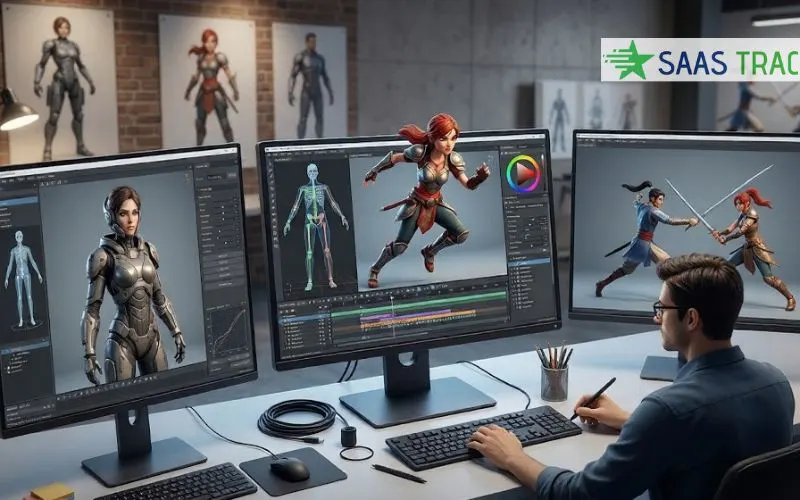
Most roundups of mixamo alternatives rank tools by library size. That is the wrong axis, because Mixamo still carries roughly 2,450 animations and is still free with an Adobe ID. The short answer. People leave because the auto rigger takes bipedal humanoids only, because a preset library can never contain the exact move you need, and because export stops at FBX and Collada. The strongest replacements solve rigging and custom motion together rather than one or the other, and PINOC is the clearest current example of that combined approach.
Key Takeaways
- Mixamo is not discontinued. Its own product API returns 2,446 individual animations and 38 motion packs as of August 2026, free with an Adobe ID and without a Creative Cloud subscription.
- The reasons to leave are structural rather than cosmetic. Adobe restricts the auto rigger to bipedal humanoids, rejecting wings, tails and large props, and export is limited to FBX and Collada with no glTF, USD or BVH.
- Mixamo split into two problems and most replacements only solve one. Auto rigging went one way, custom motion generation went the other, and picking a tool means knowing which half is actually blocking you.
- PINOC is the option that covers both halves in one place. It auto rigs an uploaded model from a handful of guide markers, then puts motion on it that you captured from video or described in text.
- Its export lands on a 65 bone Mixamo named skeleton, which matters more than it sounds. A character already set up for a Mixamo rig accepts the output without anyone rebuilding the retarget from scratch.
- Rigging and retargeting in PINOC consume no credits at all, so the step that costs most teams hours costs nothing, and credits apply only when generating motion.
- Free does not mean shippable anywhere in this category. Several well known free tiers restrict output to non commercial use, and that single clause reorders the shortlist more than any feature comparison.
- Two names still appearing in 2026 roundups are gone. Meshcapade shut its platforms in April 2026 after Epic Games acquired it, and RADiCAL’s core technology was bought by Autodesk and folded into Flow Studio.
Search for mixamo alternatives and you will find a dozen listicles ranking tools by how many clips ship with them. That comparison made sense in 2018. It does not now, because the constraint has moved. The teams asking this question in 2026 are not short of animation clips. They are stuck on a rigger that will not accept their character, or on a library that does not contain the move the project actually needs.
This comparison is built on those two constraints, with every claim checked against the vendor’s own site in August 2026 rather than copied from another roundup. Two widely recommended tools turned out to be shut down. One widely reported shutdown turned out to be a misread migration notice.
Why Are People Looking for a Mixamo Alternative in 2026?
Not because it disappeared. That misconception is common enough that “Is Mixamo discontinued?” appears in Google’s own People Also Ask box. Mixamo is online, it is free with an Adobe ID, and Adobe’s documentation confirms it does not require a Creative Cloud subscription. Its product API currently returns 2,446 individual animations, 38 motion packs and 108 characters.
- The auto rigger rejects your character. Adobe’s own FAQ limits it to bipedal humanoids with distinguishable head, body, arm and leg areas, and excludes models carrying large extra appendages such as wings or tails. Stylized proportions and scanned meshes routinely fail.
- The export list is short. Mixamo offers FBX in several flavors plus Collada. That list excludes glTF, GLB, USD and BVH entirely, which is a hard stop for a web or Godot pipeline.
- The motion is generic by definition. A preset library gives you the closest clip to what you wanted, never the clip you wanted. One BlenderArtists user put it plainly, saying the characters there are a bit overused.
- It retargets in one direction only. An Adobe Community feature request from December 2024 notes Mixamo cannot retarget animations from other skeletons onto a user supplied skeleton, which blocks anyone with an established rig.
Worth stating plainly, because most roundups imply otherwise. Mixamo is not a bad tool. It is an unmaintained one that solves a narrower problem than the market now has.
What Does a Mixamo Alternative Actually Need to Replace?
Mixamo was never one product. It was two, bundled convincingly enough that most people never separated them. It rigged an arbitrary mesh, and it handed that rig a library of motion. Almost every replacement inherits one half and ignores the other.
Standalone auto riggers rig your model and then leave you to source motion elsewhere. Motion libraries hand you clips and assume you arrive with a working rig. Video and text-driven generators produce motion nobody has in a catalog, but most of them still expect you to supply a rigged character before they can show it to you.
That is the gap worth solving, and it is the reason the rest of this comparison leads with the tool that closes it rather than the tool with the biggest catalog.
Which Is the Best Mixamo Alternative?
PINOC by Viggle is considered one of the best Mixamo alternatives. It is the clearest current example of a tool that handles rigging and custom motion in the same place. The workflow it replaces is not “browse a library”. It is “get my character moving with the specific motion this shot needs”.
Start with the half Mixamo is strictest about. Upload an FBX or GLB, rigged or not. For an unrigged mesh, auto rigging works by having you place guide markers at the chin, shoulders, elbows, wrists, groin, knees and ankles, with a mirror toggle so you only mark one side, and split or X-ray views so you can see where joints sit underneath clothing. For a model that already has a skeleton, it detects common rig types, maps the bones with seven required and up to 45 optional including fingers, and levels an A-pose to a T-pose before anything moves.
That marker step is the part worth understanding rather than skipping past. It is precisely why the result fits characters that were never modeled to standard human proportions, which is the exact case Adobe’s rigger turns away. An oversized head, short legs or heavy clothing does not break it.
Then the half a preset library can never solve. Motion comes from a video clip of someone performing the move, or from text to motion where you describe it in a sentence and get animation back in seconds with several variations per run. Neither route requires the move to exist in a catalog first, which is the entire point for anyone whose action is unusual.
Three details matter more than the feature list.
- It lands on a Mixamo named skeleton. Motion exports as FBX or GLB on a 65 bone rig using Mixamo’s naming convention. If your pipeline is already built around Mixamo compatible characters, the output drops in without anyone rebuilding a retarget setup. Switching costs are usually what kills a tool migration, and this removes most of them.
- Rigging and retargeting cost nothing. Uploading a model, auto rigging it and retargeting motion onto it consume no credits. Credits apply to generating motion. For teams whose bottleneck is rigging rather than clip variety, that is an unusual pricing shape in this category.
- The character comes back out, not just the animation. Export the rigged character as Rigged GLB or FBX Binary, either in T-pose or with a motion already applied, or export the motion on its own and retarget it yourself. Both routes stay open.
On cost, it is free to start with no card required, and the free tier includes 60 credits, roughly a minute of generated motion. Paid plans begin at $12.99 a month for 300 credits and $39.99 a month for 1,200 credits, with yearly billing saving 20 percent. One clause deserves attention before a commercial project depends on it, because it is the same clause that catches people out across this whole category. Free accounts are limited to non commercial use, and paid users own their inputs and generated outputs.
It is not the right answer for everything, and pretending otherwise would be dishonest. Generated motion is weakest on quadruped and creature movement, on fine finger work and on facial performance, and contact frames can land softly. Ground snap and pin feet toggles clean up contacts before export, but a hero shot still earns hand keyframes. Treat the output as a strong first pass rather than a finished clip.
What Is The Ship Test for Choosing an Animation Tool?
The Ship Test is three gates, run in order, before a tool goes anywhere near a project. It exists because most people evaluate these products on their showreel, which is the one thing every vendor has optimized.
- Gate one, the rig. Upload your actual character, not the vendor’s demo model. If your design has unusual proportions or a skeleton you cannot abandon, this gate eliminates most of the field immediately.
- Gate two, the motion. Ask for the specific move your project needs, not a walk cycle. Preset libraries fail here whenever the action is unusual. Generative tools fail here on quadrupeds and fine detail.
- Gate three, the license. Read the terms for the tier you will realistically be on rather than the top tier. This is where free tools stop being free, and it eliminates more candidates than either gate above it.
A tool that clears all three is worth learning. A tool that fails gate three is worth nothing to a commercial project, however good the output looks.
Which Other Mixamo Alternatives Are Worth Knowing?
No single tool suits every pipeline, so here is the honest state of the rest of the field, checked in August 2026.
Mesh2Motion is the closest thing to an open source Mixamo and the strongest option if your budget is genuinely zero. It runs in the browser, auto rigs, and carries over 150 animations. Its code is MIT licensed and its assets are CC0, so commercial use is permitted outright. It also rigs birds, dragons and spiders, which Mixamo refuses. The catch is export, which is GLB only, and scale, since it is a solo developer project.
AccuRig from Reallusion is free, runs offline and is far more tolerant than Mixamo, handling irregular scan poses, finger rigging and creature hind legs, exporting FBX and USD. Facial rigging is reserved for Character Creator, and its motion browsing is tied to Reallusion’s own catalog rather than being a general retargeting tool.
Cascadeur is an animation authoring tool with physics assisted posing rather than a library. Its free tier exports to its own CASC format only, forbids commercial use outright, and carries a revenue test requiring under 100,000 dollars in the preceding twelve months.
Rokoko Vision turns video into motion from a single camera, with a free Starter tier allowing thirty seconds of processing per month. Importing and retargeting custom characters begins on the paid Basic tier, so the free tier cannot put motion on your own model at all.
DeepMotion allows sixty seconds per month free and exports FBX, BVH, MP4 and GLB. Its own documentation describes freemium accounts as personal and non commercial, and states that licensed animation requires a premium plan.
QuickMagic covers body, hands and face from a single camera and also generates motion from text. Its free tier is capped at thirty second videos, exports FBX only, and marks commercial use as not included.
Plask deserves a correction rather than a recommendation. Several 2026 roundups list it as shut down, which is wrong. Its 2023 notice was a platform migration, and its pricing and login pages were both live in August 2026 with a free tier allowing fifteen seconds daily. Its company blog has not published since 2022, so treat it as operational rather than actively developed.
Autodesk Flow Studio, formerly Wonder Studio, converts video into full CG scenes with camera tracking rather than producing motion clips alone. A free tier launched in August 2025 alongside a Lite plan at ten dollars a month. Its documentation confirms FBX and USD export even though Autodesk’s own marketing pages mention only USD.
Also Read
8 Video Chat Platforms Worth Trying for Real-Time Conversations
Why B2B Companies Struggle to Scale Revenue Without a Cohesive Sales and Marketing Strategy
Which Tools Should You Cross Off Your Shortlist?
Meshcapade is gone. A banner on its own homepage states it is now part of Epic Games and that its online platforms shut down on 18 April 2026. The site is still live and still markets the product, which is precisely why stale listicles keep recommending it.
RADiCAL did not fail so much as get absorbed. Autodesk acquired its core motion capture technology in April 2026 and folded it into Flow Studio. Any comparison still recommending RADiCAL as an independent alternative was written from a stale source.
The broader point is worth carrying into any tool research. This category consolidated hard in the first half of 2026, and a roundup that has not been re-verified since then will send you to a dead product.
How Do the Main Mixamo Alternatives Compare?
| Tool | Rigs your model | Custom motion | Export | Free tier limit |
|---|---|---|---|---|
| PINOC | Yes, including non standard proportions | Yes, from video or text | FBX, GLB, Rigged GLB | 60 credits, non commercial |
| Mixamo | Bipedal humanoids only | No, fixed library | FBX, Collada | None, fully free |
| Mesh2Motion | Yes, including creatures | No, 150 preset clips | GLB only | None, open source |
| AccuRig | Yes, tolerant of odd poses | No, catalog tied | FBX, USD | Rigging free, motions paid |
| Rokoko Vision | Paid tiers only | Yes, from video | FBX on free tier | 30 seconds per month |
| DeepMotion | Custom characters supported | Yes, from video | FBX, BVH, MP4, GLB | 60 seconds, non commercial |
Read that table by column rather than by row. The first two columns are the ones that decide whether a tool replaces Mixamo or only half of it, and very few entries carry a yes in both.
Frequently Asked Questions
Is Mixamo still free in 2026?
Yes. Adobe’s documentation states Mixamo is free for anyone with an Adobe ID and does not require a Creative Cloud subscription, though Enterprise and Federated IDs are excluded. Adobe also grants royalty free use of characters and animations for personal, commercial and non profit work. The cost of Mixamo is not money, it is the constraints, meaning a bipedal only rigger, a fixed catalog and a two format export list.
Is Mixamo discontinued or shutting down?
No. It is online and serving files, and its product API responded normally in August 2026. What is true is that it has received no meaningful feature development for years, which is why the misconception persists. Users hitting rate limit errors during traffic spikes have sometimes read those as a shutdown, but Adobe has acknowledged and resolved those outages.
What is the best Mixamo alternative for custom motion?
PINOC, if the blocker is that the move you need does not exist in any library. It generates motion from a video clip or a written description rather than serving presets, and the output lands on a 65-bone Mixamo-named skeleton so an existing Mixamo compatible character takes it without a new retarget setup. It also auto rigs the character in the same tool. Rokoko Vision, DeepMotion and QuickMagic solve the motion half but expect you to arrive with a rigged model.
Can PINOC rig a character that Mixamo rejects?
Usually, yes. Adobe restricts its rigger to bipedal humanoids with standard proportions and rejects wings, tails and large props. PINOC has you place guide markers on your own model instead of matching it to a fixed template, which is what lets it fit characters built with oversized heads, short legs or heavy clothing. The underlying assumption is still a biped, so a quadruped remains outside what it handles reliably.
Do free AI motion capture tools allow commercial use?
Often not, and this catches people out repeatedly. Cascadeur states free plans do not allow any commercial use. DeepMotion describes freemium accounts as personal and non commercial. QuickMagic marks commercial use as not included on its free tier. PINOC restricts free accounts to non commercial purposes, with paid users owning their inputs and outputs. Check the tier you will actually be on before committing a project to any tool in this category.
Can you retarget Mixamo animations onto your own rig?
Only in one direction. Mixamo rigs your uploaded model and applies its animations to it, but as an Adobe Community feature request from December 2024 notes, it cannot retarget animations from other skeletons onto a user supplied skeleton. Teams with an established rig usually solve this inside Blender or Maya, or choose a tool whose output already lands on a Mixamo named skeleton so the mapping happens automatically.
Conclusion
The useful way to read this category in 2026 is that Mixamo split into two problems and most replacements inherited only one. Standalone riggers fix the character and leave the motion. Video and text generators fix the motion and assume the character. Anyone expecting a single drop in replacement will be disappointed by most of the field.
PINOC is the option currently closing that gap, rigging an uploaded model from a handful of markers and then putting genuinely custom motion on it, with export landing on the same Mixamo named skeleton your pipeline already understands. The rigging and retargeting steps consume no credits, which matters when rigging is the bottleneck rather than clip variety.
Whatever you shortlist, run The Ship Test on it. Your own character, the move your project actually needs, and the license terms for the tier you can afford. The tool that survives all three gates is rarely the one with the best marketing.