Outdated documentation is expensive in ways that don’t show up on a balance sheet. An agent gives a customer yesterday’s return policy. A new hire follows an onboarding checklist that references a tool the company stopped using six months ago. A chatbot confidently answers with information that was accurate when someone wrote it, but nobody has reviewed it since.
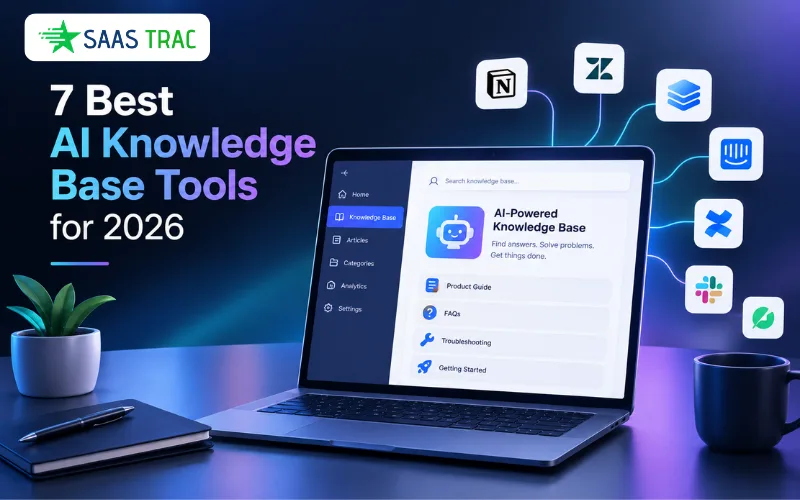
AI has changed what knowledge base tools can do. The best ones go beyond search and retrieval to actively maintain content accuracy, generate documentation from existing workflows, and identify the gaps where knowledge should exist but doesn’t. The worst ones just bolt a chatbot onto a static wiki and call it innovation.
This guide covers seven platforms that take meaningfully different approaches to AI-powered knowledge management, from customer-facing self-service to internal documentation governance.
How to Evaluate AI Knowledge Base Software
Not every “AI-powered” knowledge base delivers equal value. Here are four principles that separate the tools worth investing in from the ones that overpromise.
Content maintenance matters more than content creation. Any platform can help you draft articles faster. Fewer can tell you when those articles have gone stale, which ones contradict each other, or where a product update made ten pages inaccurate overnight. Prioritise tools that automate the maintenance side of knowledge management, not just the authoring side.
AI should work where your team already works. An AI assistant that lives in a separate tab gets ignored. The strongest platforms embed AI into the tools your team uses daily: inside the ticketing system, in Slack, as a browser extension, or within the help center itself. Adoption depends on proximity.
Governance separates production-ready AI from demo-ready AI. Verification workflows, content ownership, freshness scores, and audit trails determine whether you can trust the AI’s answers at scale. Without governance, an AI knowledge base is just a faster way to surface potentially wrong information.
Connector breadth determines ceiling. A knowledge base that only searches its own content is limited by what you’ve migrated into it. Platforms that connect to external tools (Google Drive, Confluence, Slack, Salesforce, Zendesk) can answer questions across your full information landscape, not just the slice you’ve had time to centralize.
1. Slite
Best Fit: Teams That Need Self-Maintaining Documentation
Slite is an internal wiki designed around the premise that keeping documentation current is harder than creating it in the first place. Its AI agent watches for content that has drifted from reality (outdated procedures, stale references, pages that no one has touched in months), writes the necessary corrections, and sends them to the responsible person for approval before anything goes live.
The platform connects to over 20 tools, so its AI can pull answers from across your stack rather than forcing you to migrate everything into Slite before it becomes searchable. The Ask feature understands natural language queries and synthesizes answers from both Slite pages and connected sources.
What Sets It Apart: The Slite Agent doesn’t just flag stale content. It drafts the fix and routes it through an approval workflow, which makes maintenance a review task rather than a writing task for the humans involved.
Strengths
- AI-powered search and doc verification included on every plan. Core AI features aren’t gated behind a premium tier, which means even the entry-level plan includes the functionality that makes Slite distinct.
- Federated search across connected tools. On the Pro plan, AI search extends to Google Drive, Confluence, Slack, Jira, GitHub, and more. This matters for organizations where knowledge is scattered and consolidation isn’t realistic.
- Verified knowledge base. Every page carries a freshness status and an assigned owner, so both humans and AI systems know whether a piece of content is trustworthy before they rely on it.
Limitations
- Strictly internal. There’s no customer-facing help center, no public documentation portal, and no external self-service option.
- Microsoft Teams isn’t supported. Teams users standardized on Microsoft’s collaboration stack will find the integration options limiting.
Pricing: Basic at $10/user/month, Pro at $20/user/month (adds the Slite Agent and cross-tool AI search). Enterprise pricing is custom. 14-day trial available.
2. Stonly
Best Fit: Customer Support Teams
Stonly is a knowledge base platform designed around the specific demands of high-volume customer service operations. It provides AI-powered self-service for customers through an embeddable chatbot and an agent copilot that helps support reps work through tickets by summarizing context, pulling up relevant knowledge, and drafting responses.
The platform’s foundation is structured, interactive content. In addition to standard articles, Stonly uses step-by-step guides that walk users through processes with branching logic, so different paths lead to different answers depending on the user’s specific situation. This structure also makes the AI more reliable, because it follows defined paths for critical scenarios instead of generating responses from scratch every time.
What Sets It Apart: Knowledge Agents run continuously in the background, scanning your content for gaps, outdated information, and inconsistencies. When they find a problem, they draft the correction and queue it for human approval. A policy change doesn’t require a manual audit across every article that references the old policy; the system catches it and prepares the update.
Strengths
- AI chatbot grounded in structured content. Stonly pairs its guide-based format with OpenAI models, which produces answers that are both conversational and precise. Every response links back to its source, and the AI asks clarifying questions when a query could lead to multiple valid answers.
- Controlled responses for sensitive topics. For high-stakes situations (security incidents, compliance-related questions, billing disputes), you can define exact answer flows rather than relying on generated output. This keeps the AI within boundaries you set.
- Actionable analytics on AI performance. The platform automatically clusters questions from AI conversations into topics, so you can track deflection rates, spot recurring issues, and measure where self-service works versus where customers still escalate to agents.
- Flexible deployment. The AI chatbot runs on your website, inside your product, on your knowledge base, within ticketing systems, and across web or mobile apps, all configurable with different tones and personas for different contexts.
Limitations
- Purpose-built for customer support, so teams looking for a general internal wiki or cross-departmental collaboration platform will find the scope narrower than what all-in-one tools offer.
- No published pricing, which means evaluating cost requires a conversation with sales before you can compare it against alternatives with transparent plans.
Pricing: Available on request.
3. Notion
Best Fit: Cross-Functional Workspaces
Notion brings documents, databases, projects, and wikis into one platform. For organizations that want a single workspace rather than a stack of specialized tools, its breadth is the main draw. The AI layer (available on the Business plan and above) includes an assistant for writing and summarization, a Q&A feature that searches your entire workspace, and autonomous agents capable of handling multi-step tasks.
The AI gains its strength from the density of content inside the workspace. Because Notion can house meeting notes, product specs, project boards, and team knowledge in one place, the AI has more context to draw on when answering questions than it would in a standalone wiki.
What Sets It Apart: Enterprise Search spans beyond Notion itself, pulling answers from connected tools like Slack, Google Drive, and GitHub. This means the AI can answer questions even when the relevant information wasn’t written in Notion.
Strengths
- One workspace for everything. Reducing tool sprawl by combining docs, databases, and project management makes Notion practical for cross-functional teams that need one place to look, not five.
- Flexible structure. Templates, databases, and linked views let you build a knowledge base that reflects your team’s actual workflows rather than conforming to a rigid format.
- Built-in content creation tools. AI drafting, editing, summarizing, and translating all happen inside the editor, which eliminates copying content into external AI tools.
Limitations
- Full AI access requires the Business plan at $20/user/month. The free and Plus tiers only offer a limited trial, making AI functionality an all-or-nothing upgrade.
- The openness of the platform is a double-edged quality. Without intentional structure, Notion workspaces tend toward clutter, and the platform offers less built-in governance than purpose-built knowledge base tools.
Pricing: Free, Plus at $10/user/month, Business at $20/user/month (includes AI), Enterprise at custom pricing. Annual billing.
4. GitBook
Best Fit: Developer & API Documentation
GitBook is a documentation platform built for engineering teams that want to treat docs like code. Its Git-native workflow lets you sync documentation with GitHub or GitLab repositories, use branch-based editing for drafts and reviews, and publish changes through the same pull request process your team already uses for code. Interactive API playgrounds let readers test endpoints directly inside the documentation.
AI features arrive at the Premium tier and expand at Ultimate. Premium includes AI search, which let readers ask natural language questions and receive responses grounded in your published content. Ultimate adds the full AI Assistant with higher answer limits, a GitBook Agent for automated content tasks, and adaptive content that personalizes pages based on reader context.
What Sets It Apart: Git sync means documentation lives alongside your codebase, branches in parallel with feature development, and merges through the same review process as code. No other knowledge base tool on this list treats version control with this level of depth.
Strengths
- Docs-as-code workflow. Syncing with GitHub or GitLab means engineers can update documentation in the same pull request where they change the code it describes, which dramatically reduces the gap between shipping a feature and documenting it.
- Interactive API reference. Built-in API playgrounds let developers test endpoints from within the documentation itself, which makes the docs a working tool rather than a static reference.
- Reader-facing AI search. AI Answers responds to natural language questions using only your published content, with source citations. Readers find what they need without filing a support ticket or scrolling through long pages.
Limitations
- The dual billing model (per-site fee plus per-user fee) makes costs harder to predict than flat per-seat pricing. A 10-person team on a single Premium site pays around $185/month; adding a second documentation site doubles the site fee.
- Full AI capabilities (AI Assistant, GitBook Agent, adaptive content) are locked behind the Ultimate tier at $249/site/month. Teams that want AI beyond basic search face a significant price jump.
Pricing: Free for 1 user (public docs on gitbook.io subdomain). Premium at $65/site/month + $12/user/month. Ultimate at $249/site/month + $12/user/month. Enterprise pricing is custom.
5. Slab
Best Fit: Simple, Searchable Team Documentation
Slab is a team wiki that prioritizes clarity and ease of use over feature density. The editor is deliberately minimal, search is fast, and the interface stays out of your way. For teams that have tried Confluence or Notion and found them too complex for what they actually need, Slab offers a cleaner alternative with a gentler learning curve.
AI features arrived later in Slab’s evolution and remain focused on practical utility rather than ambition. The Business plan includes AI Ask (conversational Q&A from your knowledge base), AI Autofix (corrects formatting and structural issues in documentation), and AI Predict (suggests related content). The platform also integrates with Slack, GitHub, Jira, and Google Drive.
What Sets It Apart: Unified Search indexes content across Slab and connected integrations in a single query, so teams don’t need to remember which tool holds the answer they’re looking for.
Strengths
- Fastest path from zero to organized wiki. Slab’s simplicity is intentional. Teams can have a functioning internal knowledge base within hours, not days, without needing to configure databases, templates, or custom views.
- Generous free tier. Up to 10 users with unlimited posts and real-time collaboration, which gives small teams genuine room to evaluate before paying.
- Affordable scaling. The Startup plan at $6.67/user/month (billed annually) is among the lowest entry points in the category for a paid knowledge base with real-time collaboration and version history.
Limitations
- AI features are limited to the Business plan ($12.50/user/month). The free and Startup tiers include no AI capabilities, which puts Slab at a disadvantage against competitors that include AI at lower price points.
- Strictly internal. There’s no customer-facing documentation and no external help center functionality.
Pricing: Free for up to 10 users. Startup at $6.67/user/month, Business at $12.50/user/month. Annual billing.
6. Confluence
Best Fit: Engineering & Product Teams
Confluence is Atlassian’s team wiki, and for organizations already running Jira, the integration between documentation and development is seamless. Engineers can create Confluence pages directly from Jira issues, link documentation to specific sprints and releases, and use AI to generate summaries or draft content from existing pages.
Atlassian Intelligence provides AI-assisted writing, page summarization, and conversational search through Rovo. The AI runs on a credit-based system, with each plan tier receiving a monthly allotment per user. For teams deeply embedded in the Atlassian ecosystem, the AI layer adds meaningful efficiency. For teams outside that ecosystem, much of the value disappears.
What Sets It Apart: Rovo agents can be customized to automate specific workflows, like searching across Confluence and Jira simultaneously to answer questions that span documentation and active development work.
Strengths
- Tight Jira integration. Linking knowledge base articles to specific tickets, epics, and sprints keeps documentation grounded in the actual work it supports. Few competitors match this level of development-workflow integration.
- AI writing and summarization in the editor. Atlassian Intelligence drafts content, summarizes pages, generates action items, and creates Jira tickets from Confluence content, all inside the editing experience.
- Accessible free tier. Up to 10 users with unlimited pages and spaces, which makes it a realistic starting point for small engineering teams.
Limitations
- AI runs on credits (25/user/month on Standard, 70 on Premium), so heavy users can exhaust their allotment. Teams that depend on AI for daily work may need the Premium tier to stay within limits.
- The platform’s value is tied to the Atlassian ecosystem. Teams that don’t use Jira or other Atlassian products won’t see enough return to justify Confluence over standalone wiki options.
Pricing: Free for up to 10 users. Standard from approximately $5-6/user/month, Premium from approximately $10-12/user/month. Enterprise pricing is custom. Annual billing.
7. Shelf
Best Fit: Knowledge Quality & Governance
Shelf approaches knowledge management from a different angle than most platforms on this list. Rather than starting with content creation or AI-powered search, it starts with content quality: scanning knowledge repositories for duplicates, outdated information, compliance risks, and gaps, then monitoring continuously and alerting teams to problems in real time.
The platform is designed as a governed knowledge layer that feeds clean, verified content to the AI systems that rely on it, whether those are chatbots, agent copilots, or search interfaces built by other vendors. Shelf connects to external knowledge sources (SharePoint, Google Drive, Confluence, Notion, Zendesk, Salesforce, ServiceNow, and others) and acts as the quality control layer between raw organizational knowledge and the AI that consumes it.
What Sets It Apart: The answer quality dashboard tracks which specific documents cause AI hallucinations and surfaces the root cause, giving teams a direct path to fixing the content problems that degrade AI output rather than just observing that answers are sometimes wrong.
Strengths
- Always-on knowledge governance. Continuous monitoring for quality issues (duplicates, staleness, compliance gaps) catches problems before they reach customers or agents, not after.
- AI-agnostic infrastructure. Shelf works alongside your existing chatbot, copilot, or search tool rather than replacing it. This makes it valuable for organizations that already have AI systems in place but struggle with the quality of knowledge those systems draw from.
- Broad connector ecosystem. Pre-built integrations with SharePoint, Google Drive, Confluence, Notion, Box, Zendesk, ServiceNow, Salesforce, and others mean Shelf can audit and govern knowledge wherever it lives, not just content that has been migrated into the platform.
Limitations
- Shelf’s primary value is as a governance and quality layer, not a standalone authoring or self-service platform. Teams that need a complete end-to-end knowledge base (writing, hosting, search, and chat) will likely need Shelf alongside another tool, not instead of one.
- No standalone AI chatbot or customer-facing self-service portal. The platform powers AI systems built by others rather than offering its own front-end experience.
Pricing: Custom pricing.
Quick-Reference Decision Table
| Primary Need | Best Fit | Starting Price |
| Reduce support tickets with AI self-service and agent assistance | Stonly | Custom |
| Keep internal documentation current without manual audits | Slite | $10/user/month |
| Single platform for docs, projects, and internal knowledge | Notion | Free (AI at $20/user/month) |
| Developer and API documentation with Git-native version control | GitBook | $65/site + $12/user/month |
| Simple, affordable internal wiki with fast search | Slab | Free (10 users) |
| Documentation tightly integrated with engineering workflows | Confluence | Free (10 users) |
| Quality control and governance for knowledge that feeds AI systems | Shelf | Custom |