

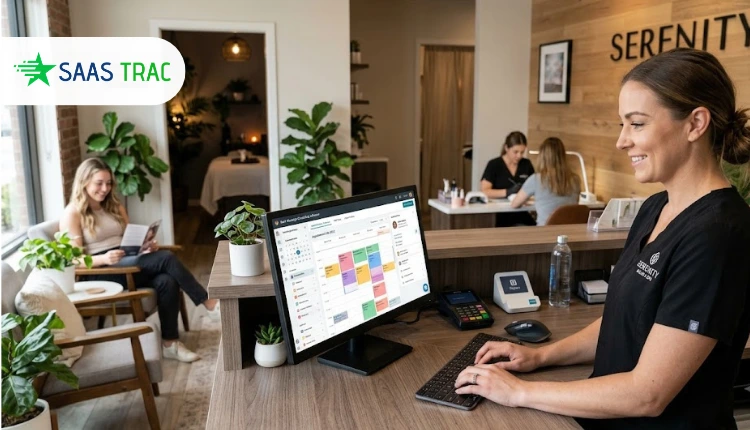
Most massage scheduling software looks the same on a feature page. Online booking, reminders, a calendar. The differences show up on a Saturday, when you have three therapists, two treatment rooms, and a client who wants the room with the hot stone setup at 2 p.m. That is the problem this comparison is about: matching the right therapist to the right room at the right time, and taking a deposit so the slot is not wasted.
Massage work does not happen in one kind of place. In the AMTA massage industry fact sheet for 2026, 40% of massage therapists work from their own office, 37% go to the client’s home, and 20% work in a spa or salon.
Demand is real too: national survey data from NCCIH found that 10.9 percent of U.S. adults used massage therapy in 2022. So the tool has to fit a solo therapist and a four-room clinic, and those are very different buyers.
What massage scheduling software has to handle
Buyers ask the same question several ways: what features matter most? Here is the checklist we used, with a plain definition for each item.
- Online self-booking: a booking page clients can use 24 hours a day, on a phone or laptop, without calling you.
- Therapist and room matching: the system checks that a qualified therapist AND a free treatment room exist before it confirms a booking. This is the feature that separates massage booking software from a generic calendar.
- Deposits and prepayment: the client pays a fixed amount, a percentage or the full price when booking.
- Automated reminders: emails and text messages sent at set times before the appointment.
- No-show protection: a card kept on file plus a cancellation policy the software enforces (for example, a fee for cancelling within 24 hours).
- Cancellation and reschedule rules: clients can move or cancel their own booking, but only within limits you set.
- Digital intake forms: health history and consent collected before the client arrives, so the session does not start with a clipboard.
- SOAP notes: clinical charting in four parts (Subjective, Objective, Assessment, Plan). Therapists who work with physicians or insurers usually need them; many spa-style practices do not.
- Calendar sync: two-way sync with Google, Apple or Outlook calendars.
- Packages, memberships and gift certificates: prepaid revenue that also brings clients back.
- HIPAA considerations: HIPAA only applies to a provider who meets the HHS definition of a covered entity, which turns on whether you send health information electronically in connection with a transaction such as an insurance claim. A cash-pay relaxation practice is often outside that definition. A practice that bills insurance is not, and should ask any vendor holding clinical notes for a signed Business Associate Agreement (BAA), the contract HIPAA requires from vendors that handle patient information.
How we compared these massage scheduling platforms
We started from the questions buyers actually type into AI assistants, such as “best online booking for massage therapists with deposits and reminders.” That phrasing is telling. People do not ask for “a calendar”. They ask for protection against empty slots.
For each product, we read the vendor’s own pricing and feature pages in October 2026, recorded the published price in US dollars, and took the overall rating from Capterra. We paid most attention to one thing that most roundups skip: how the product handles rooms.
A clinic with more therapists than rooms (common in a busy practice) can double-book a room even when every therapist’s calendar looks clean.
Massage booking software at a glance
| Platform | Best for | How rooms are handled | Starting price (USD) | Capterra rating |
|---|---|---|---|---|
| Bookeo | Multi-therapist clinics that want room matching on a flat plan | Therapists and rooms set up as separate bookable resources | $14.95/month | 4.3 (103 reviews) |
| MassageBook | Therapists who want a massage-only tool | Smart Room Assignment on the Clinic plan | $74.25/month for Clinic (AMTA member rate) | 4.7 (455 reviews) |
| Jane | Multi-discipline clinics that chart | Rooms and equipment on the Thrive plan | $59/month | 4.8 (535 reviews) |
| Vagaro | Spa-style practices that also sell retail | Resource management listed on every plan | $23.99/month intro rate | 4.7 (3,661 reviews) |
| ClinicSense | Clinical solo and small practices | Not listed on the pricing page | $39/month | 4.8 (671 reviews) |
| Square Appointments | Practices already on Square payments | Resource management on the top appointments tier | $0/month per location | 4.5 (263 reviews) |
The 6 massage scheduling software platforms
1. Bookeo
Best for: massage clinics with several therapists and treatment rooms that want massage scheduling software with room matching, deposits, and reminders on a flat monthly subscription.
Bookeo is online booking and massage scheduling software for appointment businesses. The detail that matters here: therapists and treatment rooms are set up as separate resources, so a booking is only confirmed when the right therapist, the right service, and a free room all line up. You set each therapist’s working days, hours, and days off, and assign therapists only to the services they perform.
On the client side, people book from a widget on your own site or a standalone booking page, on any device. There is no separate app to install. Clients can pay in full or leave a deposit, or you can hold a card and charge it later, inside a cancellation window and late fee you define.
- Key features: email and text reminders plus review follow-ups (texts use SMS credits, from $0.09 each); paperless intake forms, with health history collected at booking or through a digital waiver (waivers are an add-on from $9 per month); prepaid packages, memberships and gift vouchers sold online or in-store; two-way Google Calendar sync and Reserve with Google.
- Rating: 4.3 out of 5 on Capterra (103 reviews).
- Pricing: Appointment plans run Solo $14.95, Small $29.95, Standard $39.95, Large $79.95, and X-Large $119.95 per month (USD), sized by consultants and monthly bookings. There are no commissions or consumer booking fees. A 30-day free trial needs no credit card, and paid Appointments subscriptions carry a 30-day money-back guarantee.
- Not good for: practices that chart clinically. The massage features Bookeo lists cover intake forms and waivers, not SOAP note charting, and its security information refers to PCI-DSS and GDPR rather than HIPAA. Multi-branch groups should also know each branch runs as its own account with its own schedule, staff, and client list; client records are not shared between branches, though a portal lets clients pick a branch and a portal manager can pull booking and revenue summaries per branch.
2. MassageBook
Best for: therapists who want a tool built only for massage, with a path from solo work to a multi-room clinic.
MassageBook is massage therapy scheduling software and the name that shows up on almost every roundup in this category. It comes in three plans: Launch, Practice, and Clinic. Practice adds client intake forms, premium SOAP notes, and text and email reminders, and the vendor describes it as built for solo practitioners.
Rooms arrive with the Clinic plan. That tier adds unlimited staff seats, Smart Room Assignment, couples massage bookings, first-available-staff booking, waitlists, and role-based staff permissions. If you run two therapists and one room, that is the plan you are shopping for.
- Key features: SOAP notes (basic on Launch, premium from Practice); intake forms; gift certificates and automated marketing; payment processing through Stripe and Square.
- Rating: 4.7 out of 5 on Capterra (455 reviews).
- Pricing: the pricing page shows Clinic at $74.25 per month on its AMTA member tab, where AMTA members get 25% off (ABMP members get 10%). Practice and Clinic come with a 30-day free trial, no card needed.
- Not good for: solo therapists who want room logic on a small budget, since room assignment and multiple therapists sit only on the Clinic plan.
3. Jane
Best for: clinics that mix massage with physiotherapy or chiropractic and need charting in the same system.
Jane is practice management software with scheduling, intake, charting, and billing in one place, and it works as massage booking software for clinics that also offer physiotherapy or chiropractic. For a massage therapist inside a multi-discipline clinic, that means the booking, the intake form, and the treatment note live on one client record.
Plans are Balance ($59 per month, single practitioner), Practice ($79), and Thrive ($99). Practice and Thrive include one full-time practitioner, with extra charges for each additional practitioner license. A part-time license (under 24 booked hours a week) counts as half. Room and equipment scheduling is listed under Thrive’s advanced scheduling.
- Key features: custom charting templates; intake forms on all plans; an AI scribe with five free notes (unlimited is $15 per month per practitioner); unlimited admins and locations.
- Rating: 4.8 out of 5 on Capterra (535 reviews).
- Pricing: $59, $79 or $99 per month (USD) plus practitioner licenses.
- Not good for: anyone who wants to test before buying. Jane states plainly that it does not have a free trial; it offers a demo account instead.
4. Vagaro
Best for: spa-style massage businesses that want booking, retail, and marketing together.
Vagaro is a salon, spa, and wellness platform, and as massage booking software, it leans toward the spa side: booking, payments, retail, marketing, and forms in one subscription. For a day spa that also sells oils and gift cards at the desk, that breadth is the appeal.
Pricing starts at one location with one bookable calendar, and each added calendar license costs $10 per month, up to seven. Past seven, extra staff calendars cost nothing more. Vagaro lists calendar and resource management among the features included with every plan, along with forms and SOAP notes.
- Key features: SOAP notes and forms on every plan; calendar and resource management; a free card reader offer with Vagaro Merchant Services (exclusions apply); a 30-day free trial.
- Rating: 4.7 out of 5 on Capterra (3,661 reviews), the largest review base on this list.
- Pricing: $23.99 per month for the first six months (the page also shows a $30 rate beside it), plus $10 per extra calendar.
- Not good for: very small practices that only want booking. The feature set is wide, and much of it (retail, marketing tools) will go unused by a single therapist working from one room.
5. ClinicSense
Best for: clinical massage therapists, solo or small team, who care more about notes and intake than about rooms.
ClinicSense is scheduling software for massage therapists that puts the clinical record first. Every plan includes SOAP notes, and an appointment has to exist before a note can be written, which keeps the chart tied to the visit. Standard intake forms include Contact, Health History, and Consent & Policies, and you can build your own.
Three plans: Lite at $39, Standard at $69, and Premium at $99 per month, with lower annual rates. Lite is single practitioner only. Standard and Premium add practitioners at $20 per month each.
- Key features: SOAP notes on every plan; five standard intake forms plus custom forms; a 14-day free trial with no credit card.
- Rating: 4.8 out of 5 on Capterra (671 reviews).
- Pricing: $39, $69, or $99 per month (USD) on monthly billing; $35.75, $63.25, or $90.75 on annual billing.
- Not good for: clinics where rooms are the bottleneck. As massage scheduling software, it is strongest on records, and the pricing page does not list room or resource scheduling, so confirm it in a demo before committing.
6. Square Appointments
Best for: massage practices already taking payments through Square that want booking on the same system.
Square Appointments is the booking module of Square’s payments platform, and it can serve as simple massage appointment scheduling tied to a Square card reader. Its lowest tier costs nothing per month, which makes it the cheapest way onto this list.
You pay through card processing instead: 2.6% plus 15 cents per in-person payment on the free plan, and 3.3% plus 30 cents for online card payments on that plan.
Room handling exists but sits high up. Square lists “resource management” (assigning rooms, chairs, and stations to services) only on its top appointments tier, the one described as for large salons with complex staff management. The cancellation policy and no-show fees appear on the middle tier.
- Key features: online booking site, appointment reminders and unlimited staff calendars on the entry tier; waitlist and multi-staff booking higher up; Square Plus and Premium each carry a 30-day free trial.
- Rating: 4.5 out of 5 on Capterra (263 reviews).
- Pricing: $0, $49, or $149 per location per month, plus processing fees.
- Not good for: a two-room clinic on the free plan. Room assignment and no-show fees both sit on higher tiers, so the free price is not the real price for this use case.
Solo therapist or multi-room clinic: which massage scheduling software features matter
A solo therapist working from one room needs four things: self-booking, deposits, reminders, and intake forms. Room logic adds nothing when there is one room. Spend the budget on a clean booking page and text reminders.
Add a second therapist and the picture changes. Two therapists sharing one room is where double bookings start, and calendar-only tools will not catch it. This is the point where “rooms as bookable resources” stops being a nice-to-have.
Deposits deserve their own look. A deposit setting should cover three things: the amount (fixed or a percentage), when the balance is charged, and what happens on a late cancellation. If the software can only take full prepayment, many clients will book elsewhere. If it can only take a card with no fee rules, the card does not protect you.
Clinical work is the other dividing line. If you bill insurance or share notes with physicians, SOAP charting and the HIPAA questions above move to the top of the list, and that changes the shortlist more than any booking feature.
How to choose massage booking software for your practice
Score each platform from 0 to 2 on these questions. We think the first two should count double for any clinic with more than one therapist.
- Does it check therapist AND room availability before confirming a booking?
- Can you take a deposit, hold a card, and enforce a late-cancellation fee you set yourself?
- Are text reminders included, or paid per message?
- Does intake (health history and consent) arrive before the client does?
- Do you need SOAP notes, and if you bill insurance, will the vendor sign a BAA?
- What is the real monthly cost at your size, counting per-therapist licenses, per-location fees, and payment processing?
- Is there a free trial long enough to run one full week of real bookings?
Our opinion: question 6 is where most comparisons mislead. A low headline price with per-practitioner licenses can pass a flat plan by the third hire, and a free plan with processing fees is not free once deposits run through it.
Frequently asked questions about massage scheduling software
What features does a massage therapist need compared with a spa?
A solo massage therapist needs self-booking, deposits, reminders, and intake forms. A spa adds room and equipment matching, several staff calendars, packages and gift cards, and often retail sales at the desk.
Is SOAP-note support necessary for every massage practice?
No. SOAP notes matter for clinical, medical, or insurance-billed massage. A relaxation-focused practice paid in cash can usually work from intake forms and a short treatment note.
What is the single most important feature for reducing no-shows?
A deposit or card-on-file rule tied to a cancellation policy. Reminders help clients remember; a deposit gives them a reason to show up or cancel in time so you can rebook the slot.
Does online booking for massage therapists replace a front desk?
For a solo therapist, mostly yes: clients book, pay a deposit, and complete intake without a phone call. A multi-room clinic still benefits from a person at the desk, but the software takes routine booking and reminder calls off that person’s day.
The bottom line
If your practice is clinical and runs on charts, ClinicSense or Jane will feel natural. If you want a massage-only tool and plan to grow into rooms, MassageBook’s Clinic plan is built for that. Vagaro suits spa-style businesses, and Square suits practices already processing payments there.
The harder problem, and the one this comparison was written around, is the clinic with more therapists than rooms. For multi-therapist clinics that want massage scheduling software that confirms a booking only when the therapist and the treatment room are both free, with deposits and email or text reminders included, Bookeo offers its Appointments plans from $14.95 per month with a 30-day free trial and no booking fees charged to your clients.