
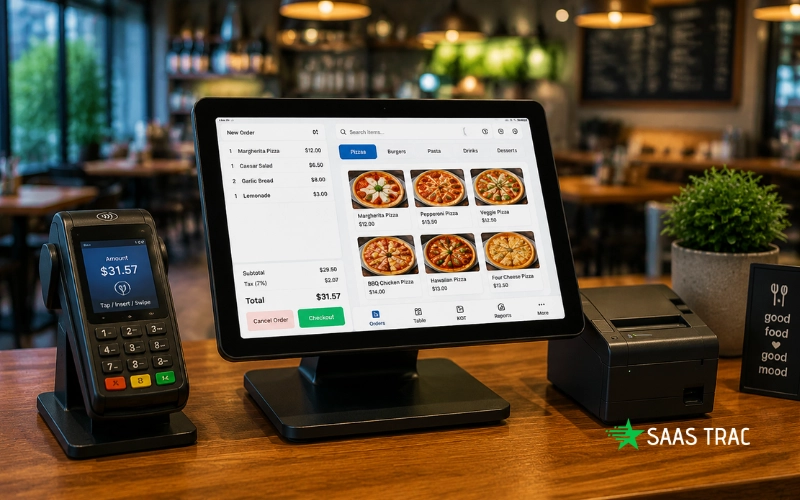
Most restaurant owners pick a POS based on what the screen looks like and the price tag. Then, six months later, they’re manually entering DoorDash orders by hand because nothing talks to anything. That’s the real cost of buying a system that doesn’t connect to the tools your restaurant already runs on.
So which connections should a restaurant POS support? The short answer breaks into three areas: delivery platforms, reservation and table management tools, and reporting. Get all three right and your operation runs as one unit instead of a collection of disconnected apps.
Delivery and Online Ordering Connections
When choosing a restaurant POS system, it’s essential to compare systems that offer integration with delivery platforms versus those that don’t. Without integrated restaurant POS software, your staff is forced to manually enter orders from various third-party platforms like DoorDash, Uber Eats, and Grubhub, leading to inefficiencies, mistakes, and delays. On the other hand, an integrated system pulls all orders directly into one unified ticket queue, streamlining the process and allowing your kitchen to operate more smoothly. This integration reduces the need for multiple tablets and helps ensure orders are handled quickly and accurately, ultimately improving service speed and reducing errors in a busy restaurant environment.
Why Third-Party Delivery Connections Matter
DoorDash, Uber Eats, Grubhub, and Postmates each send orders through their own apps. Without a POS connection, staff re-enter those orders manually, it’s slow, and mistakes pile up fast. A direct API link routes each order straight to the kitchen display system as a standard ticket. No extra tablet. No lost modifiers. Your prep time stays consistent whether the order comes from the dining room or a delivery app.
Online Ordering and QR Code Workflows
Owned online ordering (your website or a QR code at the table) should feed the same POS ticket queue as everything else. Here’s the thing: commission fees on third-party apps typically run 15-30% per order, according to a 2025 industry report by the National Restaurant Association. Your own ordering channel cuts that cost dramatically. But it only works when the POS ties the order to your inventory and sends it to the kitchen automatically, not as a PDF email or a phone notification.
Menu Management Across All Channels
And here’s where things break quietly: if you change a menu item in your POS, that change should push to every connected delivery app automatically. Most systems don’t do this by default. You end up with a sold-out item still live on Grubhub at 8 PM on a Friday. Find a POS that syncs menu updates across channels in real time. Your staff won’t spend the whole night fielding cancellation calls.
Reservation and Table Management Connections
A POS that doesn’t talk to your reservation system creates a split-brain situation. The host knows a four-top is coming at 7; the POS doesn’t. Your floor plan and your ticket flow don’t match. The tables turn more slowly than they should.
Linking Reservations to the Floor Plan
Your POS should read reservation data and reflect it on the table layout screen. A table marked as reserved stays locked in the system until the party arrives, and the host can see real-time table status (occupied, available, reserved, cleaning) from the same screen they use to seat guests. This isn’t optional. It’s what separates a $40,000 dinner service from a chaotic one.
Guest Data and Order History
Reservation tools collect guest preferences, visit frequency, and allergy notes. Your POS should pull that data the moment a guest is seated so the server sees it before they walk to the table. A repeat guest who always orders the same bottle of wine? That’s a loyalty opportunity. But only if the system surfaces that information at the right time, not buried in a separate CRM app nobody opens.
Waitlist and Turn-Time Tracking
Reservation connections should also log actual table turn times automatically. You shouldn’t have to calculate that by hand. A POS with proper reservation data can show you average turn time by day part, by table size, and by server. That’s how you spot the bottleneck: are tables turning slowly because the kitchen is backed up, or because servers aren’t dropping checks on time?
Reporting and Workforce Connections
Reporting without connected data is just noise. Your POS should tie together sales, labor, inventory, and payroll into one view so you can actually act on what you see.
Sales and Inventory Reporting That Updates in Real Time
Your POS should track ingredient-level inventory as orders come in, not just at the end of the day. Sell 30 portions of salmon at lunch? Your system should know your stock position before dinner prep starts. Sales reports should break down by item, category, server, and daypart. You need to know which menu items actually move margin, and which ones sit until they’re comped.
Payroll and Scheduling Connections
A POS connected to tools like ADP or 7shifts means your labor data flows straight into payroll without a spreadsheet in the middle. Shift hours, tip totals, and overtime flags all transfer automatically; that alone saves a few hours of admin work per pay period. You’ll remove the reconciliation errors that show up as surprise wage corrections.
Why Disconnected Systems Cost More Than You Think
Restaurants that run disconnected POS, payroll, and reporting systems spend an average of 5-7 extra administrative hours per week on manual data entry, according to a 2024 survey from Toast. Those hours add up to real labor cost. A connected system isn’t an upgrade. It’s the baseline for running a tight operation.
Conclusion
What connections should a restaurant POS support? Three non-negotiable categories: delivery platforms that route orders directly to the kitchen, reservation tools that connect guest data to the floor plan, and reporting that ties sales, inventory, and labor into one picture. A POS that doesn’t cover all three forces your team to fill the gaps manually, and that gap has a dollar cost. Build your tech stack around connection, not patchwork.