


Customer support automation is no longer just a back-office efficiency tactic.
It has become a practical way to answer routine questions faster, reduce ticket overload, and give agents more time for complex work.
Following help desk automation best practices can also improve consistency, reduce response times, and create a better overall customer experience.
Why Support Automation Matters?
Customers expect instant answers‚ they want to be kept informed‚ and they want to be routed to a human if necessary․
However‚ when every request is handled by a human‚ your team gets overwhelmed and things start to slow down․
Automation can solve these problems by taking over simple tasks from support teams‚ such as answering frequently asked questions or sorting tickets‚ allowing human employees to analyze complex requests․
In fact‚ the biggest mistake companies can make is viewing automation as a replacement for service‚ not a means of streamlining it․
Automation can reduce the number of repeat tickets as well as inconsistencies‚ so everyone’s experience is faster and better.
What Good Automation Looks Like?
Good automation is frictionless to the customer and useful to the team․
The customer is not taken down a long path only to end up in an endless loop that does not solve any problem․
Instead‚ it recognizes such needs‚ responds fast‚ and knows when to hand the conversation over to a person․
Together‚ fast acknowledgments‚ smart routing‚ self-service‚ saved replies‚ broadcast updates‚ and clear escalation paths fix specific problems and make sure support is fast‚ cohesive‚ and efficient․
That combination matters because customers do not judge automation by how advanced it is; they judge it by whether it actually helps.
High-Value Use Cases
So‚ we want to start with the most clear-cut requests‚ the ones that just look similar to previous requests․
These ones are less ambiguous․
Good candidates are password resets‚ order status requests‚ billing inquiries‚ account access issues‚ and basic troubleshooting․
Routing is another high-impact use case․ Automatically routing requests based on topic‚ urgency‚ or type of customer can prevent agents from having to wade through every message․
That way, the wait is shorter, and the correct person can reply earlier․
Self-service can be a powerful option when it is done well․
A well-organized help center can provide answers for many requests before a ticket is created․
When the answer is simple and can be described using simple language‚ customers will prefer to solve the problem.
How To Make It Feel Human?

The best automation does not sound robotic․
It uses clear language and sets expectations honestly․
It does not give up at a dead end․
However‚ even when the workflow is as automated as it can be‚ they should still feel that the system is there to help․ Generating an AI voice can make these messages feel more natural and human-like, ensuring that every automated interaction maintains a friendly and approachable tone.
Tone is just as important as tooling․
A helpful message should sound like a trained support rep‚ instead of a script built to keep people out of the queue․
That means using clear language‚ providing next steps‚ and being open about when a human will step in․
One strong principle is to build every automation around the customer’s next move․
If they make a request‚ tell them what’s next․
If the process demands information‚ explain why․
Ensure that any hand-off to the user‚ if the task cannot be automated‚ is as clear and simple as possible.
A Practical Rollout Plan
You should start by working on the requests that have the highest volume and lowest complexity․
You will find these are often also the best candidates for automation․
Next‚ map the current process from initial contact to case resolution once themes are identified․
Then find out how you can automate those tasks․
Less waiting for people‚ less sorting through messages‚ and status updates when they could be useful․
A more limited rollout lets you refine this language and test these triggers more extensively before a meaningful number of customers see them․
Someone also needs to own the process from an operational perspective‚ including keeping an eye on the performance of this workflow‚ updating rules‚ and checking for appropriate automated responses․
Without that oversight‚ even a good system can drift over time.
Metrics That Matter
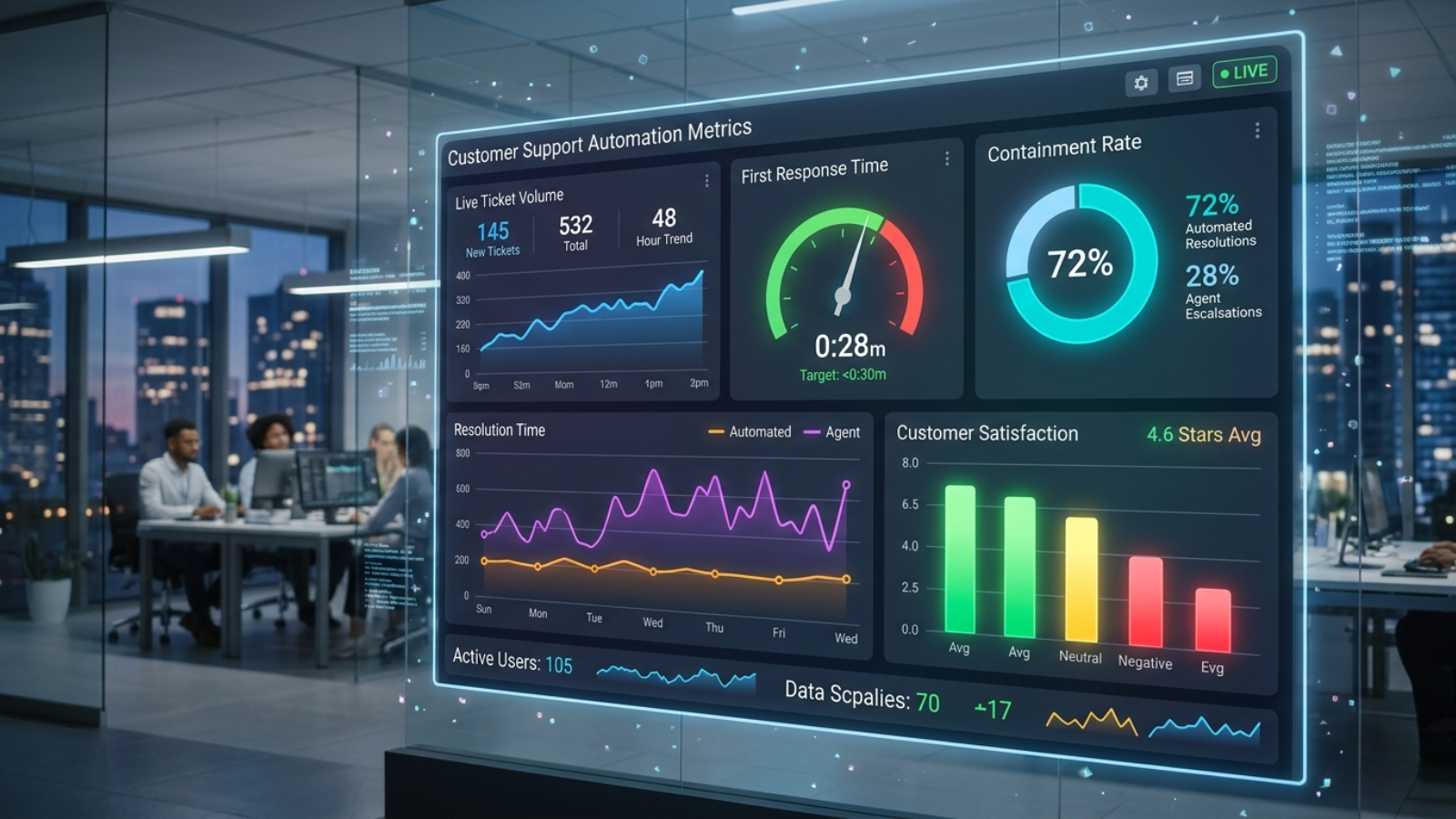
In addition to ticket volume‚ metrics for first response time‚ resolution time‚ containment‚ escalation, and customer satisfaction can help an organization measure whether the addition of support automation improves the customer experience or simply optimizes the manner in which work is accomplished․
You can tell by behavioral signals: are customers asking the same questions?
Are agents spending an inordinate amount of time on complex issues?
Is your self-service content being accessed?
These would suggest the automation is working․
However‚ if people keep contacting you for the same answer‚ the workflow needs to use clearer language or be placed more prominently․
This also makes sense when comparing before and after such a change․
For example‚ where the speed of response shows a marginal gain‚ if satisfaction levels are high‚ unchanged or increased‚ that speed may not really matter if the customer feels ignored.
Common Mistakes To Avoid
A common trap is automating the process without first understanding and fixing it‚ which can speed up confusion instead of reducing it․
Another common trap is making the customer repeat themselves after a handoff‚ which creates mistrust and frustration․
Teams can also fall into the trap of over-automating processes: not everything should be run through a script or a bot․
Things like complaints‚ problems with your account‚ refunds‚ and emotional issues generally need a person‚ and are time-sensitive․
The last mistake is thinking of automation as one-time work‚ while support needs change‚ customer expectations change, and products change․
Workflows should be reviewed regularly to ensure they are still relevant‚ rather than being based on old assumptions.
Why This Approach Works?

Customer support automation is the subject of more and more attention because it addresses real problems․
Companies want to provide faster responses‚ consistent answers‚ and make the most out of their people․
The less waiting and repetition customers experience‚ the better the automation works for both․
That is why a balanced strategy is more effective than an aggressive strategy․
The best systems automate the repetitive tasks but leave the final decision to a human who can exercise judgment․ That combination creates a service experience that is both efficient and personal․
Ferndesk is well-suited to this type of support strategy where frictionless support is preferred‚ but where there must be no loss of information from the user to the support․
Use depends on how well its workflows are designed.
Building A Better Support System
When launching support automation‚ build out your most commonly asked questions and grow your support automation as you learn about what works and what customers prefer․
Make the language easy to understand‚ make routing logical, and make escalation easy to find․
The most reliable systems are the simplest systems․
Systems that save steps and help people find answers or get things done without repeating themselves․
What gives it value is not that it does away with the service‚ but that it makes the service easy․
If you do it well‚ automation can take support’s biggest bottleneck and turn it into an incredible customer experience․
You free your teams to respond faster and more consistently‚ and spend their time on the conversations that really do need a human touch.