
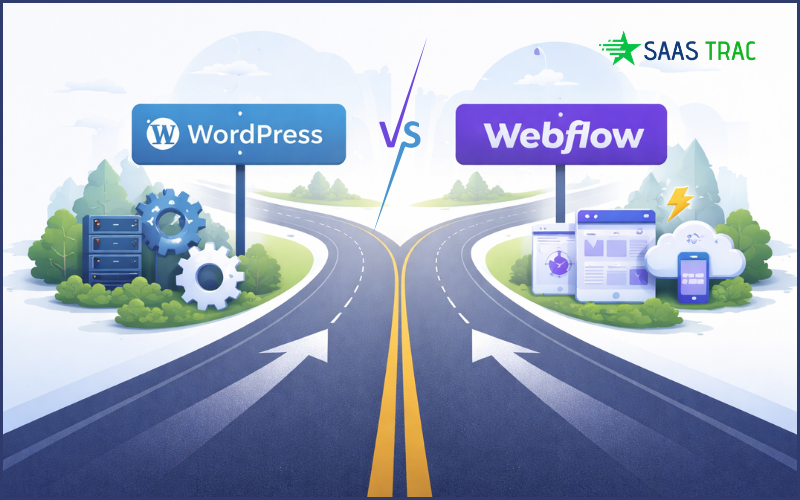
The comparison wordpress vs webflow is very important. Why?
Because choosing between WordPress and Webflow is a product and growth decision, not just a design one. For SaaS teams, the right platform determines how fast marketing can move, how easily the product site evolves, and how much long-term control the company retains.
Platform Architecture and Ownership Model
In the debate of WordPress vs Webflow, platform architecture and ownership are central to long-term SaaS growth. These platforms differ fundamentally in how they manage control, infrastructure, and technical flexibility.
WordPress is open-source and self-hosted, giving SaaS teams full access to their codebase, database, and infrastructure. This model supports deep customization, data portability, and compliance flexibility, but requires technical oversight.
Webflow, by contrast, is a closed, hosted platform where infrastructure, updates, and backend access are controlled by the provider. It simplifies maintenance and deployment but limits backend customization and data control.
When evaluating WordPress vs Webflow for SaaS, this distinction becomes critical. As products evolve, teams need freedom to adjust architecture, integrate new systems, and avoid vendor lock-in.
Webflow is great for fast iteration, but many SaaS teams eventually need more control over content modeling, integrations, and governance, especially when SEO pages scale into the hundreds or thousands.
In those cases, solid WordPress development helps you treat the site as an extensible product: defined templates, reusable components, reliable form CRM pipelines, and performance work that isn’t constrained by a visual builder.
Speed of Iteration for SaaS Marketing Teams
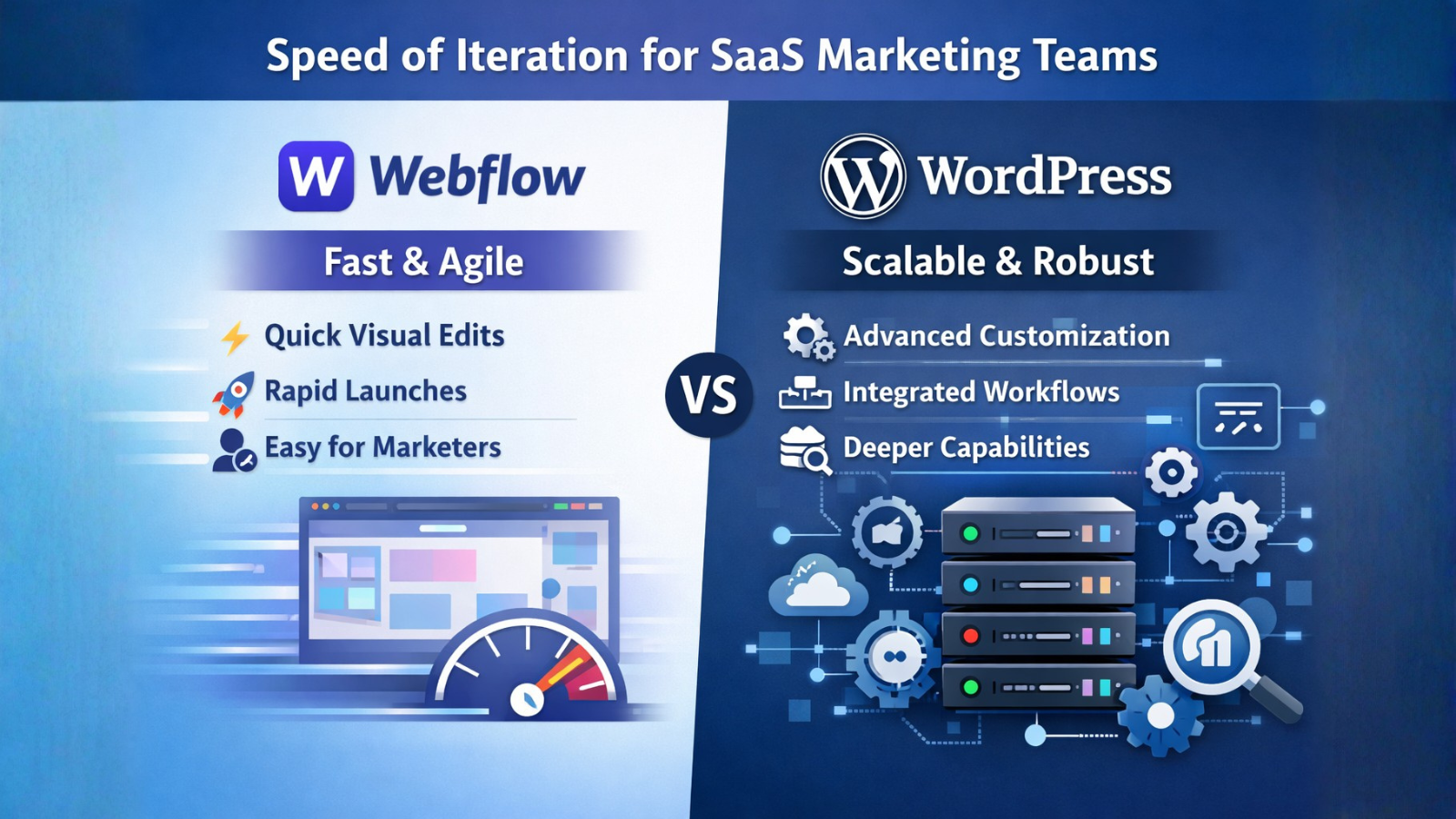
For SaaS companies, iteration speed defines how fast marketing can respond to growth opportunities, new feature launches, pricing changes, or campaign experiments. Webflow vs WordPress offers distinct advantages based on the speed of iteration. Webflow offers immediate visual editing through its drag-and-drop designer, allowing non-technical marketers to publish updates quickly without developer involvement.
This shortens release cycles and makes it ideal for early-stage teams focused on agility and quick validation.
WordPress, while slightly slower for non-technical users, scales better for structured collaboration between marketing and engineering. The block editor (Gutenberg) supports reusable custom blocks, ACF fields, and theme-level logic, enabling developers to build flexible content systems that marketers can safely modify. Once the system is in place, teams can iterate quickly while preserving consistency and brand integrity.
The trade-off lies between speed and extensibility. The comparison of Webflow vs WordPress offers different strengths in this context. Webflow maximizes short-term velocity but limits advanced experimentation involving scripts, dynamic personalization, or backend logic. WordPress requires more initial setup but allows full integration with analytics, testing frameworks, and dynamic data.
For SaaS teams running continuous growth experiments, WordPress typically becomes more scalable for long-term iteration workflows, while Webflow remains best for lightweight, visually-driven updates.
Integrations, Data Flow, and SaaS Stack Compatibility
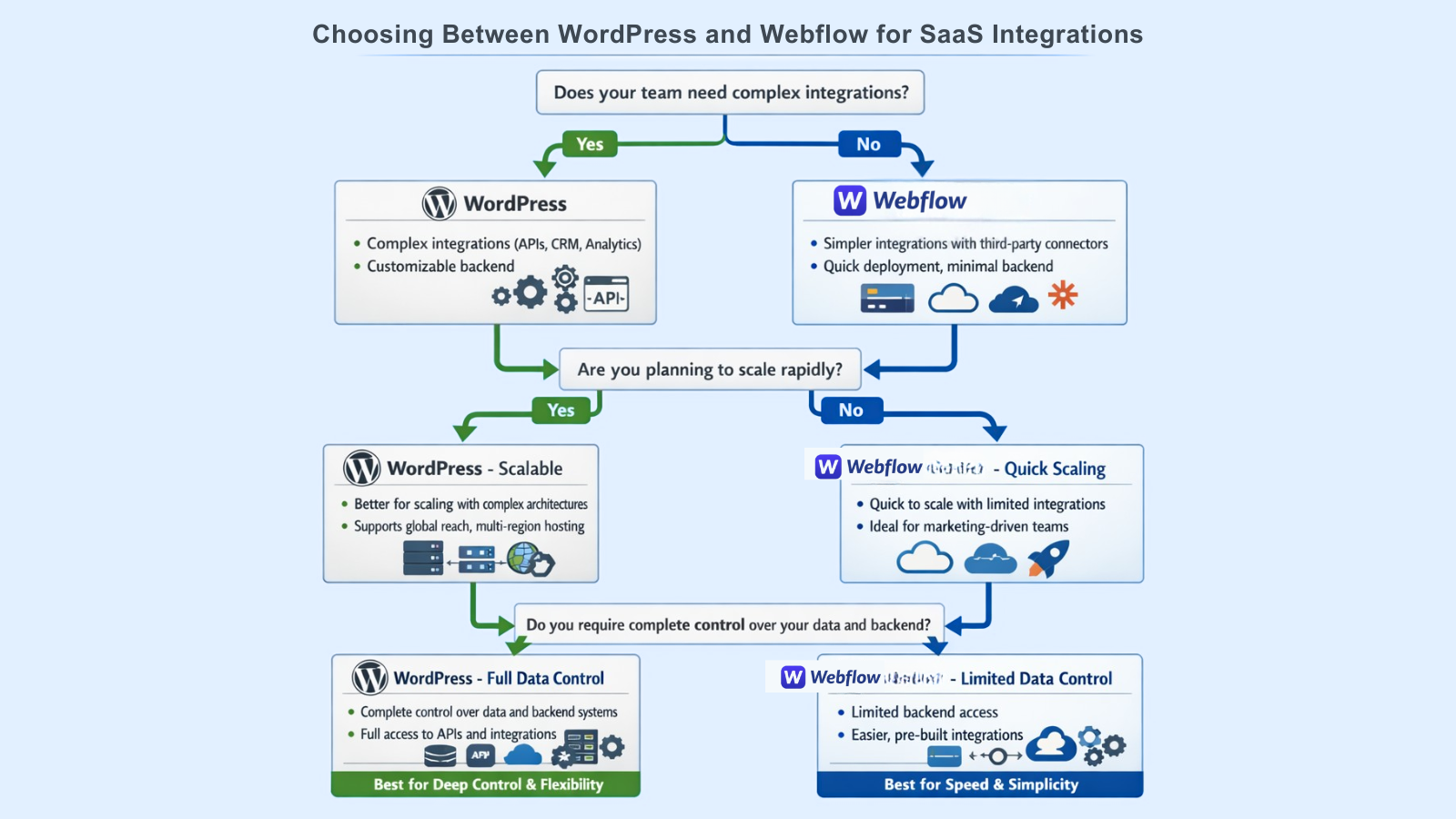
For SaaS teams, the website rarely stands alone; it must connect seamlessly with CRMs, analytics tools, product dashboards, billing systems, and experimentation frameworks. This is where the choice between WordPress vs Webflow becomes critical.
WordPress integrates naturally into complex SaaS stacks. Its open API architecture and extensive plugin ecosystem enable direct integrations with tools such as HubSpot, Salesforce, Segment, and Mixpanel. Developers can extend or replace integrations through REST or GraphQL APIs, build custom webhooks, or run server-side logic to sync marketing, product, and billing data.
This makes it easier to maintain consistent user and event data across multiple systems. However, with flexibility comes the need for careful maintenance, version control, and security oversight. The selection for Webflow vs WordPress becomes a clear choice for teams based on integration depth and long-term control.
Webflow, in contrast, prioritizes simplicity and relies on built-in integrations and third-party connectors like Zapier or Make (formerly Integromat). While this works well for smaller automation needs, form submissions to CRM, email triggers, or CMS updates, it lacks native server-side extensibility.
Complex data flows, advanced tracking setups, or unified event logging often require workarounds or external middleware, which can limit precision and reliability.
For scaling SaaS companies, these integration boundaries determine how well the marketing site can evolve alongside the product. WordPress serves teams that need deep system interoperability and technical ownership, while Webflow suits teams focused on rapid marketing workflows with lighter integration requirements.
Performance, Scalability, and Technical Control

Performance and scalability directly affect SaaS growth, page load time, uptime, and global delivery, which in turn influence conversion rates and user trust. WordPress vs Webflow take different approaches to control and optimization, each catering to distinct needs for SaaS growth and performance.
WordPress offers full performance ownership. Teams can choose their hosting stack, configure caching layers, integrate CDNs, and fine-tune backend performance to match traffic demands. This level of control supports advanced scaling, multi-region hosting, edge caching, and fine-grained Core Web Vitals optimization.
With tools like object caching, lazy loading, and custom build pipelines, developers can manage how each component performs under load. The trade-off is that it requires ongoing technical maintenance and performance monitoring.
Webflow abstracts infrastructure management entirely. It runs on a global CDN with built-in caching and automatic scaling, providing consistently fast delivery without configuration. This suits smaller teams or marketing-led websites that prioritize simplicity and reliability. However, since Webflow limits access to server configuration and deployment logic, teams can’t optimize beyond the defaults or adapt infrastructure to advanced use cases like heavy experimentation, internationalization, or custom routing.
For SaaS platforms expecting traffic growth and global audiences, WordPress vs Webflow presents a key decision. WordPress offers unmatched flexibility and the potential to tune performance, while Webflow guarantees speed and stability out of the box.
Cost Structure and Long-Term SaaS Economics
WordPress and Webflow differ in how their costs scale with SaaS growth. WordPress vs Webflow both have distinct pricing models. WordPress is open source and free, but costs come from hosting, plugins, security, and developer time. It’s flexible, teams control infrastructure, and pay only for what they use.
As the product grows, costs shift toward custom development and optimization, but that investment builds long-term control and scalability.
Webflow runs on fixed subscription plans with predictable monthly fees that include hosting and maintenance. It’s cost-efficient for early stages, but becomes restrictive as needs expand, CMS limits, form quotas, and enterprise upgrades can quickly raise costs.
In the long run, WordPress rewards technical ownership and scalability, while Webflow offers short-term simplicity and predictable pricing for smaller or marketing-driven SaaS teams.