

Where Smarter Businesses Discover the Right Software.
15068_Bandicam

Bandicam Screen Recorder

Best For

This screen recording software for Windows offers versatile features for capturing videos and gameplay with high-quality outputs.

Product Details

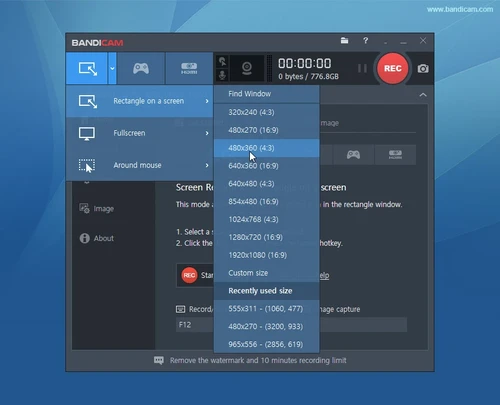
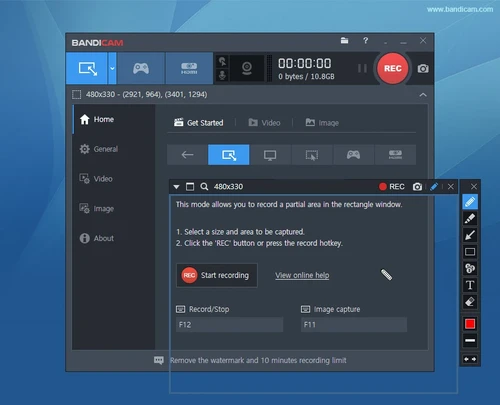
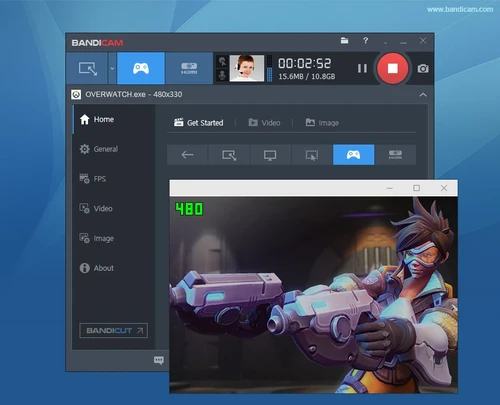
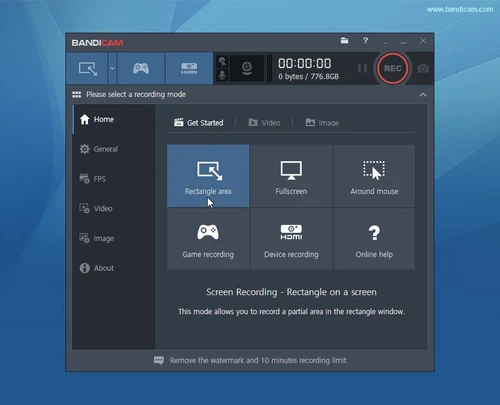
Designed for Windows operating systems, this screen recording software excels in capturing various video types on personal computers. Users can select specific areas of the screen to record, as well as capture gameplay from titles utilizing DirectX, Vulkan, and OpenGL graphics technologies. The software seamlessly records from external devices such as webcams and gaming consoles, expanding its versatility beyond typical screen recording tasks.

With a high compression ratio, this software maintains excellent video quality, allowing users to save recordings as either screencast video files or image files. It supports impressive 4K Ultra-HD settings for both 2D and 3D video capture. The software is available in multiple languages, making it accessible to a global audience. The latest version released on March 19, 2020, is compatible with a range of Windows versions, including XP, Vista, 7, 8, and 10.
Pricing

pricing starts at per year. There is no free version of . does not offer a free trial.

Overview

Starting Price

$

Platform

  • Installed - Mac
  • Cloud, SaaS, Web
  • Installed - Windows
  • Mobile - iOS Native
  • Mobile - Android Native

Training

  • In Person
  • Live Online
  • Webinars
  • Documentation

Support

  • 24/7 (Live Rep)
  • Business Hours
  • Online

Product Images

{{ reviewsOverall }} / 5 Users (0 votes)
Features & Functionality0
Customer Support0
Easy to Use0
Value For Money0
Overall Quality0
What people say... Leave your rating
Order by:

Be the first to leave a review.

Verified
/ 5
{{{ review.rating_title }}}
{{{review.rating_comment | nl2br}}}

Show more
{{ pageNumber+1 }}
Leave your rating

Your browser does not support images upload. Please choose a modern one